
New Stencil (Basic)
To create a new stencil, enter a name, select the folder where you want to save it, and choose whether to create a subfolder for the stencil.
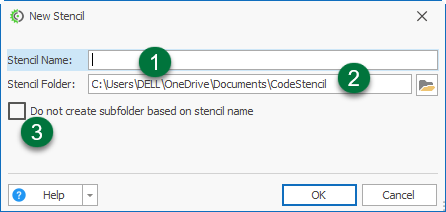
Stencil Name: Enter a name for the new stencil. Choose a clear, descriptive name so you can identify it later.
Stencil Folder: Enter or select the folder where you want to save the stencil. Click the Browse button to choose a folder.
Do not create subfolder based on stencil name: Select this option if you do not want a separate subfolder to be created for the stencil. By default, a subfolder with the stencil's name is created inside the selected stencil folder.