
Project & Stencil Configuration
This form is used to configure how the code will be generated. It allows users to set project properties and other configuration options before generating the code.
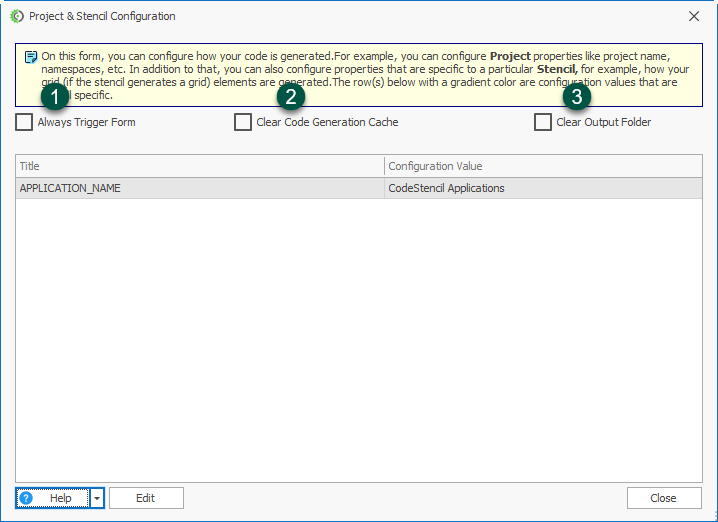
Always Trigger Form: Select this checkbox if you want the configuration form to appear every time code generation is triggered. Leave it unchecked if the form should not always be displayed.
Clear Code Generation Cache: Select this checkbox to clear the existing code generation cache before generating new code. This can be useful when you want to ensure that the latest configuration is used.
Clear Output Folder: Select this checkbox to remove the existing contents of the output folder before generating the new code. Use this option when you want a clean output directory.