
Overview
Expanders are a very important piece in the architecture of CodeStencil. They form a repository of labels and the strings defined to replace those labels during code generation.
You can define as many labels as you want to use for string replacement.
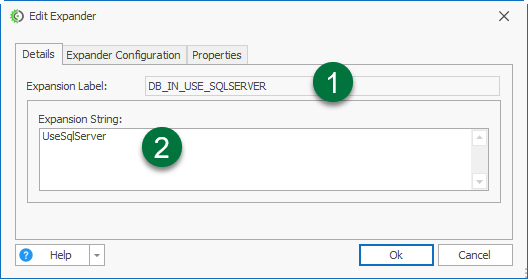
Expanders consist mainly of:
Expansion Label - This is the label you insert in your stencil
Expansion String - Replacement string
Using Expanders
Here is a quick example of using Expanders:
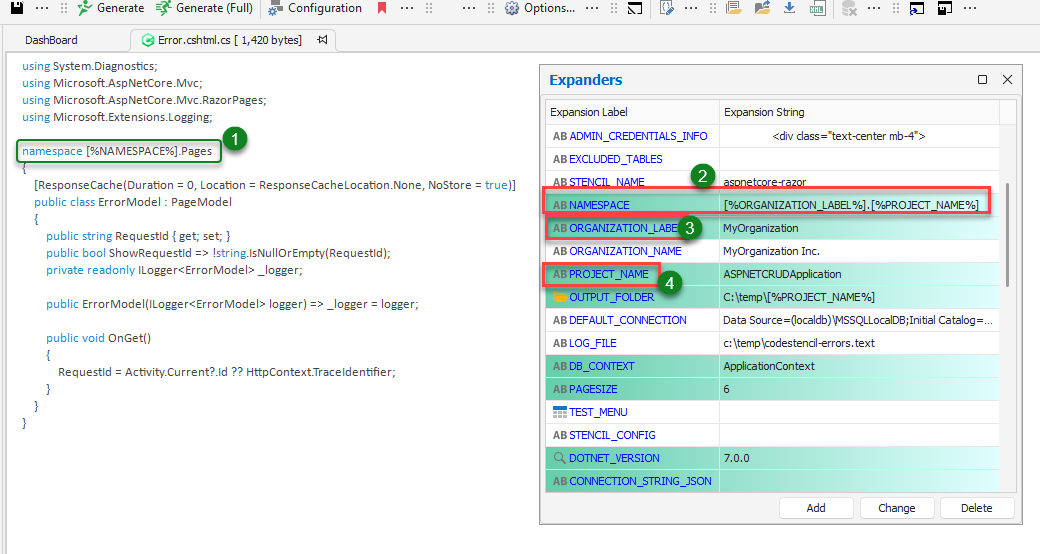
In this screenshot:
This is the string which contains the Expander Label - [%NAMESPACE%]
We can see what the Expander Label will expand (or translate) to - The Expansion String. This has been defined as [%ORGANIZATION_LABEL%].[%PROJECT_NAME%]. You can specify Expanders within Expansion Strings.
Here we see what [%ORGANIZATION_LABEL%] will expand to: “MyOrganization”.
Here we see what [%PROJECT_NAME%] will expand to - “ASPNETCRUDApplication”.
So the final output of the line will be:
(a) We want to expand a label called "NameSpace". This will expand into "MyOrganization.ASPNETCRUDApplication".
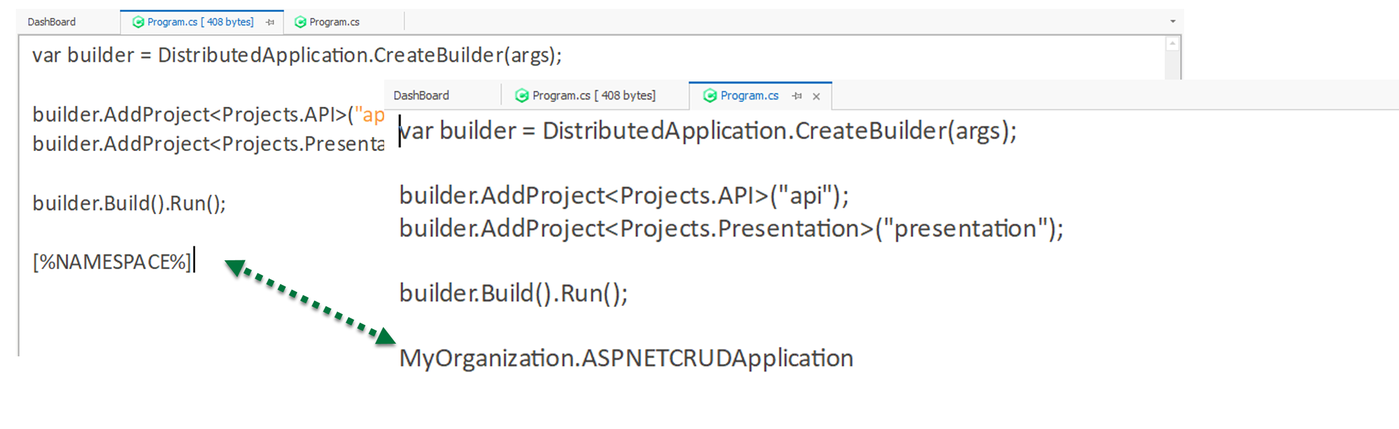
(b) Drag a label from the Expanders Grid and drop it into the Code Editor. Note that the Expansion Label is automatically enclosed with "[%%].
(c) Generate the code to see the string replacement in the generated file, just like the image above.